Troubleshootingcontrols
Why Are My Hot Tub Buttons Not Responding?
When the display is on but controls do nothing, Hot Spring documents spa lock and, on wireless models, remote range or interrupted communication. Deactivate spa lock with your manual's steps. Do not open the control box to force a button response.
- By
- TubWise Editorial Team
- Published
- Last updated
- hot tub buttons not working
- spa lock
- control panel
- troubleshooting
Direct answer
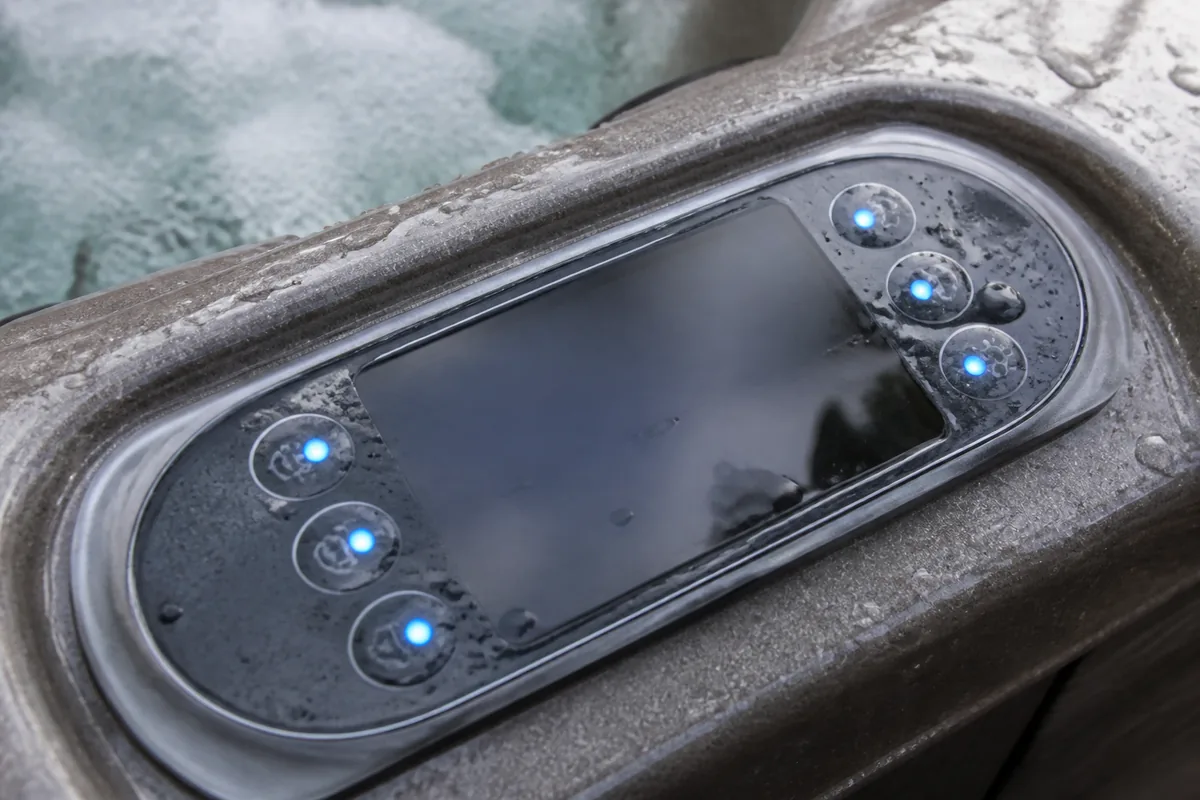
If the panel still shows power or a temperature, but presses do nothing, start with spa lock. Hot Spring lists an activated spa lock as a cause of an inoperative spa and states that spa lock disables the controls on the control panel (Hot Spring; Hot Spring Limelight owner’s manual). On certain wireless Hot Spring systems, a lit but inoperable touchscreen can also mean the remote is too far away or communication with the spa was interrupted (Hot Spring).
Safety note
Do not open the control box. Do not peel the keypad, spray cleaners into the panel, or probe ribbon cables. Do not bypass locks, sensors, or safety devices. If an error code or dashes appear instead of a normal display, stop button troubleshooting and match the exact message in your own manual. Jacuzzi advises looking up panel error codes in the owner’s manual and calling professional repair when that path does not resolve the issue (Jacuzzi).
Lit panel that ignores presses is not a blank panel
This article assumes the topside still shows something: digits, icons, a lock symbol, or a lit wireless screen.
If the display is fully dark while the house breaker looks on, use Hot Tub Display Is Blank but the Breaker Is On first. For the broader inoperative-spa list, see Why Is My Hot Tub Control Panel Not Working?.
What you see first
| Observation | What it usually means | Next step |
|---|---|---|
| Lock icon or lock indication is on | A control lock may be active | Check Spa Lock vs Temperature Lock using your manual (Hot Spring Limelight owner’s manual) |
| Panel is lit, no obvious lock indication, presses do nothing | Not the lock path by itself | Continue with the non-lock checks below |
| Wireless control/display is lit, but commands do nothing | Range or interrupted communication on supported wireless systems | Use the wireless range, dock, and reset steps below (Hot Spring) |
Spa lock and temperature lock
Hot Spring Limelight manuals document Spa Lock and Temperature Lock as separate features. Spa Lock is the broader restriction: it disables the controls on the control panel, and the jet pumps will not function while Spa Lock is active (Hot Spring Limelight owner’s manual). Temperature Lock alone may still allow some functions, such as jets, while blocking temperature changes; your manual draws that line (Hot Spring Limelight owner’s manual). A lock indicator icon can show when Spa Lock, Temperature Lock, or both are on (Hot Spring Limelight owner’s manual).
Hot Spring’s consumer chart also lists spa lock among causes when the spa is inoperative, with the solution stated as deactivating spa lock (Hot Spring).
Follow only the unlock sequence printed for your model. On Limelight examples, Spa Lock is deactivated by a documented soft-button and hold sequence that turns the spa lock icon off (Hot Spring Limelight owner’s manual). Other brands use different button holds. Do not invent a universal unlock shortcut.
Wireless touchscreen still on but inoperable
Hot Spring’s chart for a control touchscreen that is on but inoperable lists two causes: the remote is too far from the spa, or communication between the control system and the remote was interrupted (Hot Spring). Documented steps include moving the remote closer, pressing the Jets button on the dock unit, and, if a panel reset is needed, pressing and holding the touchscreen in a blank area until it turns black (Hot Spring).
Those steps apply to Hot Spring wireless remote systems described in that chart. Fixed membrane panels do not use dock-range troubleshooting.
What not to assume
Unresponsive buttons do not prove the membrane failed, the main board failed, or the heater failed. They also do not prove a specific error code. If the display is flashing, showing dashes, or naming a code, leave this path and use Hot Tub Control Panel Is Flashing or Showing Dashes plus your brand manual.
If jets still fail after spa lock is clearly off, return to flow and heating guides such as Hot Tub Not Heating: What to Check First rather than forcing more panel resets.
Safe checks the homeowner can do
- Confirm the display is actually lit and note any lock icon, code, or dashes.
- Deactivate spa lock only with the method in your owner’s manual (Hot Spring).
- If you have a wireless remote, move it closer to the spa and follow your manual’s dock or reset steps (Hot Spring).
- Try one power cycle at the spa disconnect only if your manual uses that step to clear a stuck panel state.
- Stop if the next idea is opening the equipment pack or replacing the topside without a technician.
When to stop and call a technician
- Spa lock is off according to your manual, and presses still do nothing
- Wireless pairing or dock steps in your manual fail
- Moisture, cracked overlays, or burnt smells appear at the topside
- An error code, Watchdog-style dashes, or repeating protective trip remains after the manual’s allowed reset
- You would need electrical testing or control-box access to continue
Sources
- Fix Your Hot Tub with This Complete Troubleshooting Guide — Hot Spring Spas; Accessed 2026-08-03
Consumer troubleshooting chart. Undated Hot Spring guidance. Cited for spa lock on an inoperative spa; control touchscreen on but inoperable (remote too far, interrupted communication; move closer; Jets on dock; hold blank screen area until black).
- Limelight Collection Owner's Manual (EN-US) — Watkins Wellness / Hot Spring; Accessed 2026-08-03
Limelight Collection owner's manual. Cited for SPA LOCK disabling control-panel controls and jet pumps; Temperature Lock and Spa Lock indicator behavior; documented Spa Lock activate/deactivate button sequence. Limelight Collection scope only.
- Hot Tub Repair Basics: Common Issues and Fixes — Jacuzzi; Accessed 2026-08-03
Official Jacuzzi consumer guide. Cited for consulting the owner's manual when the control panel shows an error code, and calling professional repair if the manual path does not resolve it.
Related articles
Why Is My Hot Tub Control Panel Not Working?
Hot tub control panel dark, locked, or unresponsive? Separate power loss, spa lock, and safety trips before calling a technician.
Read guideHot Tub Display Is Blank but the Breaker Is On
Spa display dark even though the house breaker looks on? Check the spa GFCI, disconnect, high-limit reset path, and wireless panel power before calling service.
Read guideHot Tub Control Panel Is Flashing or Showing Dashes
Flashing spa indicators or dashes on the display? Match the exact pattern in your brand manual. Sundance Watchdog dashes deactivate the spa; Hot Spring blinking Power points to high-limit.
Read guideHot Tub Not Heating: What to Check First
Hot tub not heating? Check power, water level, filters, and safety trips before calling a technician.
Read guide